
The HP Deskjet 2710 uses HP 305 cartridges (black) and HP 305 (tri-color). These references are also available in XL versions, with a higher yield per cartridge. Before proceeding with the replacement, one question deserves to be asked: should you always buy original cartridges, opt for compatibles, or consider an alternative system to reduce the frequency of changes?
HP 305 and 305XL Cartridges for Deskjet 2710: Comparison of Options
The market offers three categories of cartridges for this printer: original HP, third-party compatibles, and budget compatibles. Each option affects the cost per page, print quality, and color longevity.
| Cartridge Type | Print Quality | Fade Resistance | Printer Warranty |
|---|---|---|---|
| HP 305 / 305XL (original) | Optimal, calibrated for the Deskjet 2710 | Superior on photo prints | Maintained |
| Generic Compatible | Variable depending on the manufacturer | Inferior on photo prints | Maintained (European law) |
| Budget Compatible | Often sufficient for text | Not tested by third parties | Maintained (European law) |
An independent test conducted by Consumer Reports in November 2025 showed that HP 305 cartridges resist fading better than generic compatibles on photo prints. For regular office printing (text, tables), the quality gap remains less noticeable.
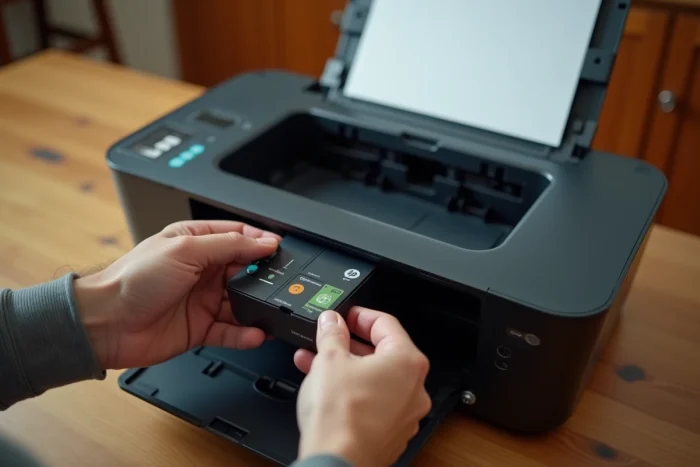
To replace the HP Deskjet 2710 ink cartridge, the procedure remains the same regardless of the chosen category: the print carriage accepts any cartridge in the HP 305 format.
Compatibles and HP Deskjet 2710 Warranty: What the Regulations Say
A common concern arises: does using a compatible cartridge void the printer’s warranty? The answer is no. European legislation prohibits a manufacturer from conditioning its warranty on the exclusive use of its consumables.
HP cannot therefore refuse warranty coverage on the grounds that a third-party cartridge has been installed. However, if a defective cartridge causes material damage to the print head, it is the cartridge manufacturer’s responsibility, not HP’s.
Refurbished Cartridges and Recyclability
The European directive on electronic waste (WEEE), updated in January 2025, strengthens the recyclability obligations for ink cartridges. Manufacturers like HP must offer free take-back programs for used cartridges, including those from Deskjet models.
Buying refurbished cartridges contributes to this logic. Their quality depends on the refurbisher, but they represent a compromise between cost and environmental footprint.
Continuous Ink Systems (CISS) and HP Deskjet 2710: A Sustainable Alternative
Continuous ink systems, often referred to by the acronym CISS, replace cartridges with external tanks connected to the print head via tubes. The goal: to stop buying cartridges and simply refill with ink bottles.
Operation and Technical Compatibility
The CISS connects to the carriage in place of the HP 305 cartridges. High-capacity tanks (one for each color and one for black) continuously supply the printer. The cost per page decreases significantly compared to traditional cartridges.
The Deskjet 2710 is not natively designed for this type of system. Installation involves:
- A third-party CISS kit compatible with the HP 305 format, with compatible recognition chips
- Routing the tubes through the outside of the cover, preventing the printer from being fully closed
- An initial calibration to purge air from the tubes and avoid streaked prints
Concrete Risks to Assess
A poorly installed CISS can cause ink leaks onto the internal mechanism of the printer. The nozzles of the print head are particularly sensitive to air bubbles, which generate visible defects on printed pages.
Regarding warranty, the reasoning is the same as for compatible cartridges: installing a CISS does not automatically void the HP warranty. However, any material damage caused by the third-party system will not be covered by HP.
Common Mistakes When Replacing HP 305 Cartridge
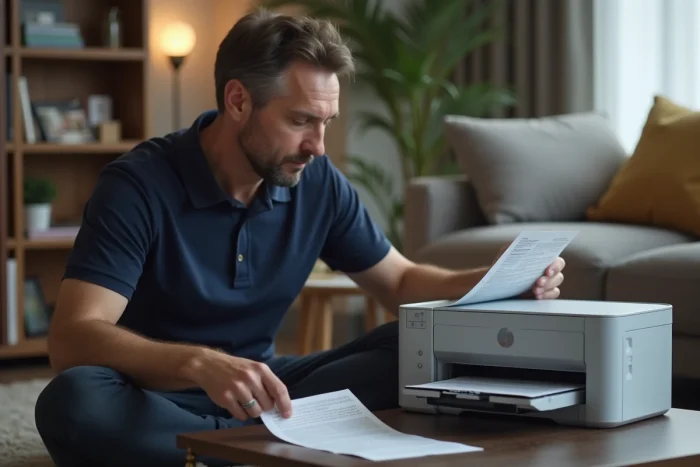
Even for a simple operation, certain reflexes can cause avoidable malfunctions. Here are the most common on the Deskjet 2710:
- Removing the orange protective tape without touching the copper contacts of the new cartridge, as fingerprints can alter the electrical connection with the carriage
- Forcing the insertion of the cartridge into the wrong slot (black on the left, color on the right in this model)
- Ignoring the automatic alignment page that launches after installation, which degrades the sharpness of the first prints
- Storing new cartridges in an environment that is too hot or too cold, which can dry out or thicken the ink before opening
The automatic alignment page ensures correct nozzle calibration from the first use. Failing to launch it means printing with a misalignment between colors.
Standard or XL Version: Which Format for Which Use
The standard HP 305 cartridge is suitable for occasional use: a few pages per week, mainly text. The 305XL version contains more ink and reduces the number of replacements over a year.
For a household that regularly prints color documents (school assignments, administrative forms, photos), the XL version significantly reduces the cost per page compared to the standard version. Conversely, for occasional printing of a few pages per month, the standard 305 is sufficient and avoids the risk of ink drying out between uses.
The choice between original HP cartridge, compatible, or CISS system depends on the printing volume and tolerance for technical handling. For moderate office use, HP 305 or 305XL cartridges remain the simplest solution. Beyond a hundred pages per month, alternatives should be evaluated, keeping in mind the compatibility and maintenance constraints specific to each option.