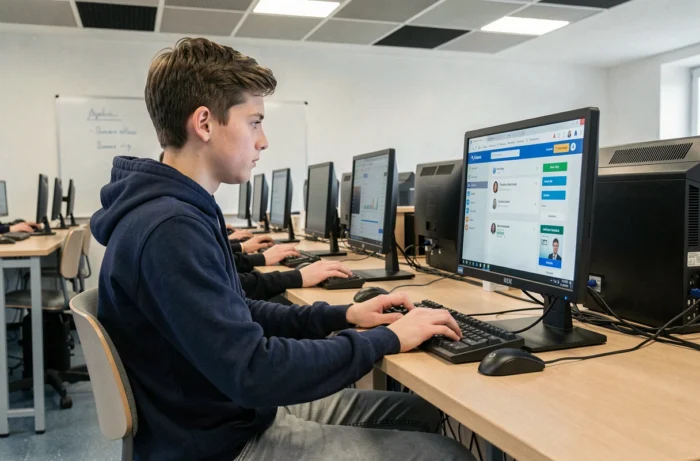
CPro STI is the skills tracking application used in vocational education, developed under the auspices of Réseau Canopé. Each subscribed high school has its own URL, constructed in the format www.cpro-sti.fr/[UAI of the institution], and each user receives a username/password pair. The connection seems simple on paper, but field feedback shows that blockages rarely come from CPro itself.
When the CPro STI connection failure does not come from CPro
Most high schools now integrate their digital services behind a digital workspace (ENT) and a federated authentication system like EduConnect. However, CPro STI still maintains direct access independent of the ENT. This coexistence creates a zone of confusion: a student who fails to connect does not always know whether the problem lies with the ENT, EduConnect, or CPro.
A valid EduConnect identifier does not automatically guarantee access to the correct service. The institution sometimes has to manually associate the digital account with the student’s profile in CPro. As long as this linkage is not made, the login page returns an error, even with correct identifiers.
To distinguish a CPro outage from an authentication incident, the most reliable reflex remains to test direct access via the institution’s specific URL, outside of the ENT. If direct connection works but access through the ENT does not, the problem is institutional, not applicative. Teachers who want to learn everything about cpro high school will find a summary of the diagnostic steps based on this.
CPro STI identifiers: format and first connection at high school
The login follows a standardized format: first.last in lowercase, limited to 20 characters. Any spaces in the name are replaced by hyphens. For the first connection, the password corresponds to the user’s date of birth, in the format ddmmyyyy (for example, 14071789 for July 14, 1789).

These identifiers are communicated by the teacher (for students) or by the CPro administrator of the institution (for teachers). When they do not arrive, it is often because the import of data from the student database has not been finalized at the beginning of the school year.
- Check that the last name used in the login corresponds to the one registered in the administrative database (usage name, hyphens, particles).
- Ensure that the entered date of birth follows the eight-digit format, without slashes or spaces.
- After the first connection, immediately change the default password to prevent a classmate from guessing it.
- In case of persistent blockage, contact the CPro administrator of the institution directly, not the ENT support.
Browsers and technical constraints for CPro STI
The official documentation specifies: only Chrome and Firefox are recommended. Using another browser may cause malfunctions or display issues that resemble an outage when they are actually incompatibilities.
A less documented point concerns proxies and antivirus configured restrictively in some high school networks. These filtering devices can block application features without an explicit error message. The result: a page that partially loads, inactive buttons, or an empty dashboard.
On a school workstation where the browser and network are locked by the IT department, the teacher does not always have control. The solution then involves requesting the digital reference to add the domain cpro-sti.fr to the proxy whitelist.
Pedagogical features of CPro STI to exploit in class
CPro STI is not limited to a digital grade book. The application structures the training path around several modules that cover the entire evaluation cycle in vocational education.
The pedagogical scenarios allow the teacher to define sequences of activities linked to the competencies of the reference framework. Each activity performed by the student then feeds into their skills assessment, which can be consulted at any time.
The tracking of work placement periods (PFMP) constitutes another central aspect. The teacher can enter the activities carried out in the professional environment and the associated skills, which avoids the late reconstruction of the file at the end of the cycle.
- Evaluations: entry of acquisition levels by skill, with the possibility of progressive reassessment.
- Portfolio of activities in the workplace: the student records their missions, and the teacher validates the skills mobilized.
- Dashboards: a synthetic view of each learner’s progress, useful for class councils.
- Professional high school report (LSL Pro): the data entered in CPro directly feeds this regulatory report.
For the MRC family (Customer Relationship Professions), all certification grids for professional exams must come from CPro. This requirement makes mastery of the tool non-optional for the concerned teachers.
Cybersecurity of school accounts and CPro STI
The multiplication of federated access (ENT, EduConnect, GAR) increases the exposure surface of school accounts. For a high school using CPro through the ENT, this implies clearly distinguishing an unavailability of CPro from a security incident on the authentication chain.
Best practices remain simple: never share your CPro identifiers, change the default password as soon as you log in for the first time, and report any suspicious connections to the administrator. A password based on the date of birth can be guessed by any classmate, making immediate change necessary.
In case of prolonged unavailability of the ENT, direct access to CPro via the institution’s URL constitutes a backup procedure. Testing it at least once at the beginning of the year avoids being blocked on the day of a certification evaluation.